0 items - $0
- No products in the cart.



 0 items - $0
Empress is responsive and WooCommerce ready for those roaring to get their products out unto the market. To top off the deal, Empress offers a myriad of short codes and extra options. Empress, equipped with 3 header sliders, 9 layouts for pages and posts, 6 footer layouts, color pickers with unlimited color schemes and Google fonts. It is truly one smart theme! Here you’ll find a list of the main and great features of this theme.
Main menu:
The dropdrown menu is powered by jQuery for a clean hover effect, and also contains a color picker for unlimited color options.
Footer menu:
The footer has 6 different layouts where you can show your categories and custom widgets, and also contains a color picker for unlimited color options.
LayerSlider (the Parallax Effect Slider):
The user-friendly admin panel lets you create as many layers and sub-layers as you want through the use of images or any other HTML element. You can also add global settings or local (per slide) settings to each layer or sub-layer as well as adjust delay times, easing types, durations and much more with the WYSIWYG editor.
Nivo Slider:
A popular jQuery image slider with unique transition effects. Latest Post Slider: Great if you want a slider with the latest posts from a particular category reflected in a thumbnail. You can also customize the background color and text color.
Latest post Slider:
Show off your latest posts in an Accordion-Carousel manner.
Main menu:
Unlimited color options can be set up via a color picker, such as: menu hover, menu background, sub menu text, sub menu text hover, sub menu background and sub menu background hover.
Footer menu:
Unlimited color options can be set up via color picker, such as: footer text, footer menu text, footer menu text hover and footer background.
Headings and content block colors:
You have unlimited color options for H1 - H6 via color picker. You have unlimited color options via color picker such as: content background, paragraphs, links, links hover, buttons, buton text and button text hover.
Fonts:
There are unlimited Google fonts available for menu, heading and paragraph. You can choose one of the predefined fonts or enter a custom font name from the Google Web Font service.
Define unlimited color schemes on different pages and posts, customize the background color, background opacity and paragraph color.
Place ads at your header area, above or below your content block at every page, or post and add your own personal notes. Adding an HTML code is possible as well as a simple link which includes an image.
You can also add a 125×125 banner with custom link, url and anchor texts. Just look for the ‘TD AdWidget’ then simply drag and drop to any of the pre-defined widgets area.
Every page and post can be readily customizable. There are 9 layouts and 6 footers layouts available for every page and post.
You can add a (header) slider, including a widget area and widget sidebar, which can be placed next to the slider for every page and post. Every page and post contains options for adding a background image, slogans and advertisements as well as custom sidebars wherein you can choose between broad and narrow sidebars or double sidebars.
Meta pages and posts can be turned on/off.
Contains customizable features for your themes which can be done at the following tabs:
Categories (to define options for individual categories)
Colors
Color Schemes
Copyright
General (where you have options for general theme options such as images: Favicon, Logo, Logo login, background image and 20 predefined Patterns)
Layouts
Sidebars
Sliders
Sociables
Typography
WooCommerce Layouts (to match the look and feel of your actual theme)
This feature automatically loads dummy content to your website to show how the theme works. Info about dummy content is included in your theme files.

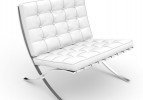 Chair 500
 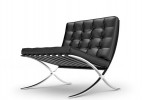 Chair 600
 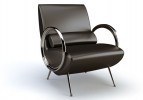 Chair 700
 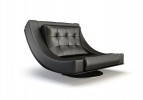 Chair 800