YOUR CART: 0 products
Home › SUPPORT FORUMS › STRADA - BETA › Strada (Beta v1.1) Against Selected Plugins
Tagged: Beta Tester, iThemes Security, strada, W3 Total Cache, woocommerce, Wordpress SEO
This topic contains 6 replies, has 3 voices, and was last updated by Windycityfella 3 months, 1 week ago.
Viewing 7 posts - 1 through 7 (of 7 total)
-
AuthorPosts
-
28/03/2014 at 5:53 PM #63214
G’Day All.
Have been testing the latest Beta version of Strada against a couple of important/must have Plugins with the following results:
1. Updated WooCommere to the latest version - v2.1.6 - without any apparent issues.
2. Installed iThemes Security (formerly BetterWP Security) v4.0.5 and currently has not created any issues.
3. Installed WordPress SEO (by Joost de Valk) v1.5.2.8 and currently has not created any issues
4. Installed W3 Total Cache v4.0.5 which IS CONFLICTING with the website (http://supamacmedia.com) in that all that appears is the background image when viewing the site - no sections or menu lists show. I’ll continue to experiemnt with options of this Plugin to see if it is the overall Plugin or certain options.
Cheers,
Michael.
29/03/2014 at 10:02 AM #63215Hi Michael,
Thanks for all your input here, it’s much appreciated. We’re making sure to consider all of it in our development. For the time being, the conflict with total cache is something I cannot personally make any calls on about to what extent this will be fixed, as we cannot ensure full compatibility with all third-party plugins out there. There’s simply too many. I do understand total cache is a much-used plugin. Effectively, this will be Mike’s call.
Thanks again!
Kevin
29/03/2014 at 12:01 PM #63216Kevin,
G’Day and thanks for your reply.
I understand and totally agree that you and the developers can’t test against all major plugins - if you did there would probably never be a release of a theme. I was just going thru some of the ones that I use and giving you a heads-up on their compatibility as a point of reference.
Have a great weekend.
Cheers,Michael.
01/04/2014 at 6:34 AM #63224Hi Michael and Kevin,
Well this is a major plugin and our framework should work, so please Michael can you explain to Kevin in detail whats wrong or maybe you can give Kevin access to your test site so he can see what going on.
Kevin please add your notes to github, so Lenur can fix it.
Little update:
Strada is not accepted on TF, so I’m still in the thinking mode what to do. I will not drop this project but I think it will get a restyl/rename/re-concept

Aim a bit busy with other projects and my designing days are over, just don’t have the time anymore. So the last two weeks I’m focusing on new designers to collaborate with our crew.If you need my attention on some matters, please shoot me a email for a faster response.
Thanks guys and speak to you soon.
Mike01/04/2014 at 3:54 PM #63227Mike,
G’Day and thanks for the reply.
I’ll shoot yourself and Kevin and email after this with a Username and Password to access the ‘live’ test site.
But.
A word of warning - if/when you activate W3 Total Cache and want to see what is happening on the front/user end, DON’T access the site from the Dashboard, because if what I’m seeing is accurate, you won’t be able to get back into the backend. Open a completely new internet browser session instead.And on the UserPro Plugin, and I know that it isn’t going to be part of the theme, but I found it unusual that (with UsrPro activated) when i went into the list of Users on teh site (from the dummy content) I wasn’t able to see or change a person’s access authority. Eg: from subscriber to Editor or Administrator. Interesting.
Cheers,
Michael.
02/04/2014 at 9:59 AM #63239Hi Michael,
I received your e-mail, thanks.
I see what you mean on the user-pro front. that’s pretty odd indeed. Must say I never really noticed that :o. right off the bat I’m not sure if that’s a userpro quirk or a theme thing really. I’ll mention it to our developers.
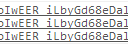
As for W3 total cache, I get exactly what you mentioned, only seeing the background (and the wp-admin bar). I notice a console error though that’s not there when the plugin is deactivated. This might have something to do with it. (See screenshot).
I’ll also send that through to our development team.
Cheers
Kevin
Attachments:
ScreenShot523.png
02/04/2014 at 3:36 PM #63241Kevin,
G’Day.
Phew ! Glad that you got the same/similar result, as I didn’t want to think that I was on my own going made trying to get the plugin working with the theme.
I’ll be interested to see what your developers say re W3 Total Cache and the theme.
Have a great day.
Cheers,
Michael.
-
AuthorPosts






Viewing 7 posts - 1 through 7 (of 7 total)
You must be logged in to reply to this topic.