Done (code entered). Any chance someone could address our problem with the blurry images/text appearing in the slider now?
Thanks!
-Pauline
Hi Kevin,
I hope you are well! I was curious what widget to use to get the scrolling effect like we see for woocommerce or tweets on the demo site footer. I am looking to have the recent posts images and titles scroll in a footer column.
Thank you in advance for your assistance!
All the best,
Lauren
Hi Kevin,
Okay, so here’s the problem: For the LayerSlider WP which is included in the JOOP theme, I have created the images (using Illustrator then ‘saved for web’ (I’ve even tried images optimized using Photoshop to ensure the dimensions and the file size is as small as possible) at the same size as the size specified for the slider image dimensions (600px x 250px). Now, you are correct that if I were to simply insert the image on a page and select full width, then yes the image is not blurry; however, when dealing with the Layerslider WP ‘full width’ and size options are not given in the media library option panel (I’ve attached a screen shot). The image size that is uploaded is listed in the media library as 600px x 250px so there shouldn’t be any resizing of the images, logically speaking. Interestingly, inserting the image (the same 600px x 250px image) onto a page creates a much smaller image than the size of the slider (600px x 250px) which makes this rather confusing since it seems to indicate that I need to create a larger image for the slider… do you understand what is happening here?
FYI: my plugins and version of WordPress are all up-to-date — in case you are wondering.
Use link to view the problem: http://ebmd.ca/wordpress/?page_id=660
Thanks in Advance,
Pauline
I’ve attached a screenshot of the media library upload and insert panel.
Attachments:
screenshot-for-themedutch.jpg
Hi Ed
I’m afraid that support on a code-level is something we can only do for our premium members. As mentioned on our forum home:
Free support does not cover ticket-suppport, advice or looking up code for customizations on our themes. For all these purposes we refer to our Premium Support (anual costs $ 29,-)
Now as I made a slight exception for you as I sort of expect this to be a theme function in a while and I went and took a quick look, to see where I think this code file is situated. I cannot guarantee you that it’s in there but I believe the file should be flexslider-product.php found in joop\tdframework\core\slider\slider-flexslider.
Kind regards,
Kevin
Hi Kevin,
Thank you for considering this as a feature update. In the meantime would you be able to tell me where to find the slider code file?
Regards,
Ed
Hi Ed,
At this moment, I’m afraid there’s no theme feature that allows you to change the speed of this slider. The only way to alter it would be through editing the slider’s code files. I do like the idea of adding this as a feature so I’ll make a suggestion to our development team to look at with a next theme update.
Kind regards,
Kevin
Hello!
I would like to change the time transition time between slides in the homepage. I’m using the Fullscreen Products Slider.
http://www.delal.ca
Regards,
Ed
Hi Monica,
I understand what you’re looking to achieve, but I’m afraid the only way to achieve that would be through modification of the theme code. I went to take a look at our themeforest page and I see what you meant and how you feel the image on top can be seen to show different behaviour. That may have been an inaccuracy on our page, but do note that there’s the demo site on which the theme can be seen exactly how it is.
Either way,
I personally very much agree with the fact that having the slider scale (in both dimensions) would be better than the current cropping mechanism. Because of that, I’ve asked our development team to look into altering that feature. I’m afraid that at this point that’s really the best I can do for you.
Kind regards,
Kevin
Hi Kevin, thanks, but I don’t think this solves my issue. My issue is really with the photos more than the text. The photos currently do not scale to fit different screen sizes. Since you’ve been selling the NoTime theme under the pretense that it is fully responsive, can you please let me know how to fix the images to make the images in the slider fully responsive. This is a real issue when it comes to smaller screen sizes, and I purchased this believing, since your pictures made it seem so that the photos in the slider would be responsive and scale down to fit different sized media.
-
This reply was modified 1 month, 2 weeks ago by Monica Siri.
Hi Monica,
The slider in Notime indeed crops down from the sides, moving the text to fit. However it is currently not scaling heightwise. I’ve suggested our development team to review the slider’s responsiveness (or more precisely, the way it responds to smaller screens) for the next theme update to see if they can have it scale down, keeping the same aspect ratio, instead of crop like it does now.
Or maybe look into adding some more options for sliders.
Kind regards,
Kevin
Hi, my home page slider is not responsive, meaning when I move my browser window inward, the pictures don’t actually shrink, nor does the text, the text just kind of folds into itself.
In your screenshot pictures on the item purchase page, it appears that this should actually be responsive, as the iPad photo shows the slide picture at a smaller size. Is there a reason why it isn’t shrinking when I make the browser window smaller? It is not shrinking on the demo either.
The other elements on the page do move inward accordingly.
I kind of need to have this fixed, as responsiveness is pretty important. Please advise. Thanks for your help.
Hi Jeroen,
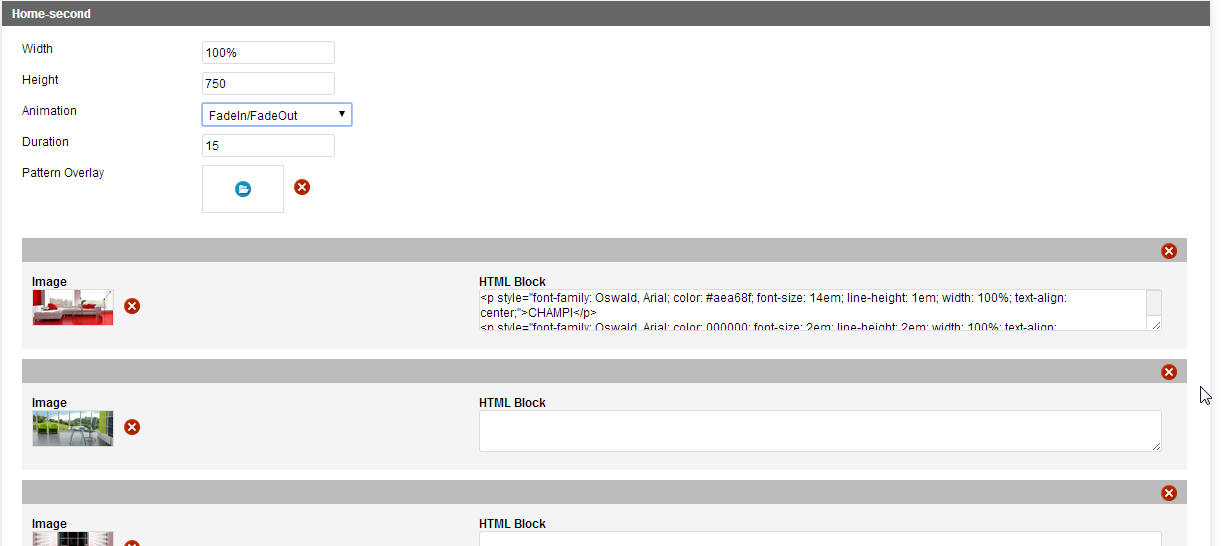
On our homepage we are using a slideshow slider with the settings as shown in the screenshot that I’ve attached.
I hope that helps,
Kind regards,
Kevin
Attachments:

ScreenShot444.png
Hi Whitt,
I took a quick look at our notime demo site in IE9 and noticed how the slider appears not to be showing.Other than that, are there any other specific issues you can point out?
Kind regards,
Kevin
Hello,
How do i make the pictures to fade from one to an other with no white in between. I see this in your preview page but cannot get it done on my own page.
With regards,
Jeroen
ps. website is http://www.circuskunst.nl
Yes, I downloaded and installed version 1.2 on 19 February 2014.
I want to keep my logo in this size, but I don’t want it to overlay my Home page slider on mobile view. How can I avoid this?
Thanks,
Louise